Prop Firm Trader Dashboard Guide
The trader dashboard is the most-used part of your prop firm product. Here is what it needs, what traders check daily, and what to include from day one.
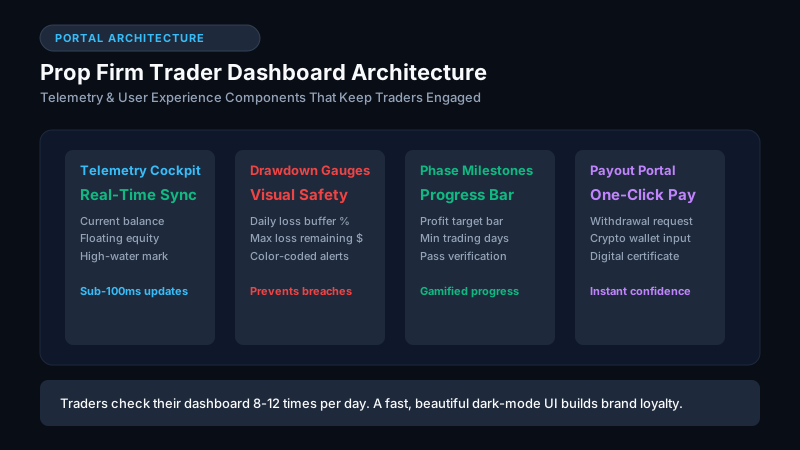
What a Prop Firm Trader Dashboard Is
The trader dashboard is the interface funded traders use to monitor their account status, track profit and loss, check drawdown limits, and request payouts. Built directly into The Traders Room, it is the most-used screen in your entire platform.
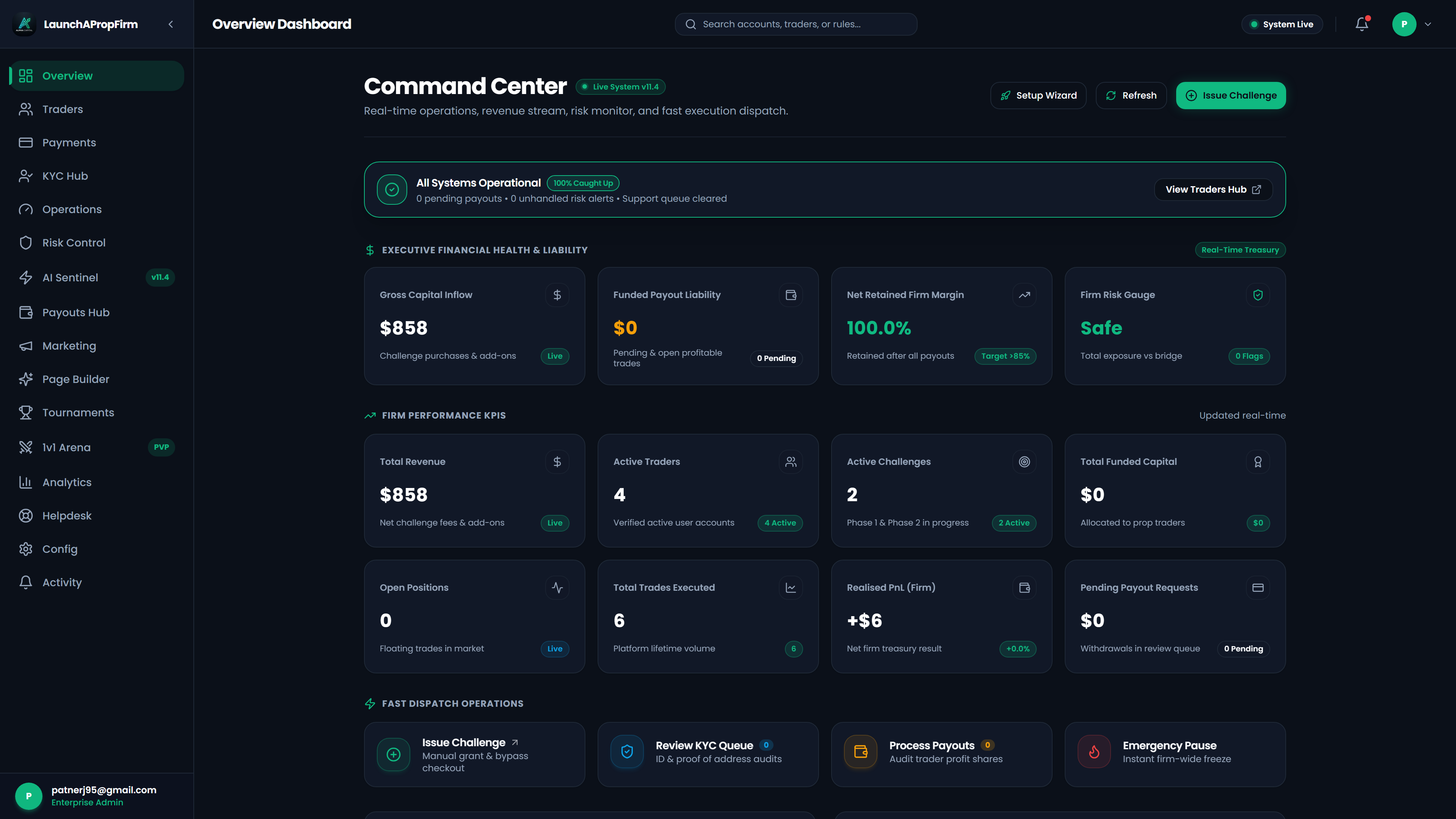
Traders log in to check their dashboard daily during an active challenge or funded period. The quality of this screen determines whether traders trust your platform and whether they refer others. A poorly designed dashboard signals an unprofessional operation even when the challenge rules are competitive.
What Traders Actually Check Every Day
Not everything on a dashboard gets equal attention. The pattern is consistent across prop firms.
The first thing traders check is their current profit and loss relative to the profit target. The second is their drawdown position relative to both daily and total limits. Everything else is secondary.
Design around these two numbers. They should be visible without scrolling, clearly labeled, and updated in near real time.
| Dashboard Element | How Often Traders Check | Priority |
|---|---|---|
| Current P&L vs target | Every login | Critical |
| Drawdown remaining | Every login | Critical |
| Days remaining in phase | Weekly | High |
| Recent trade history | Weekly | Medium |
| Payout status | Monthly | Medium |
| Certificate / achievements | Once per milestone | Low |
Features Every Prop Firm Dashboard Needs
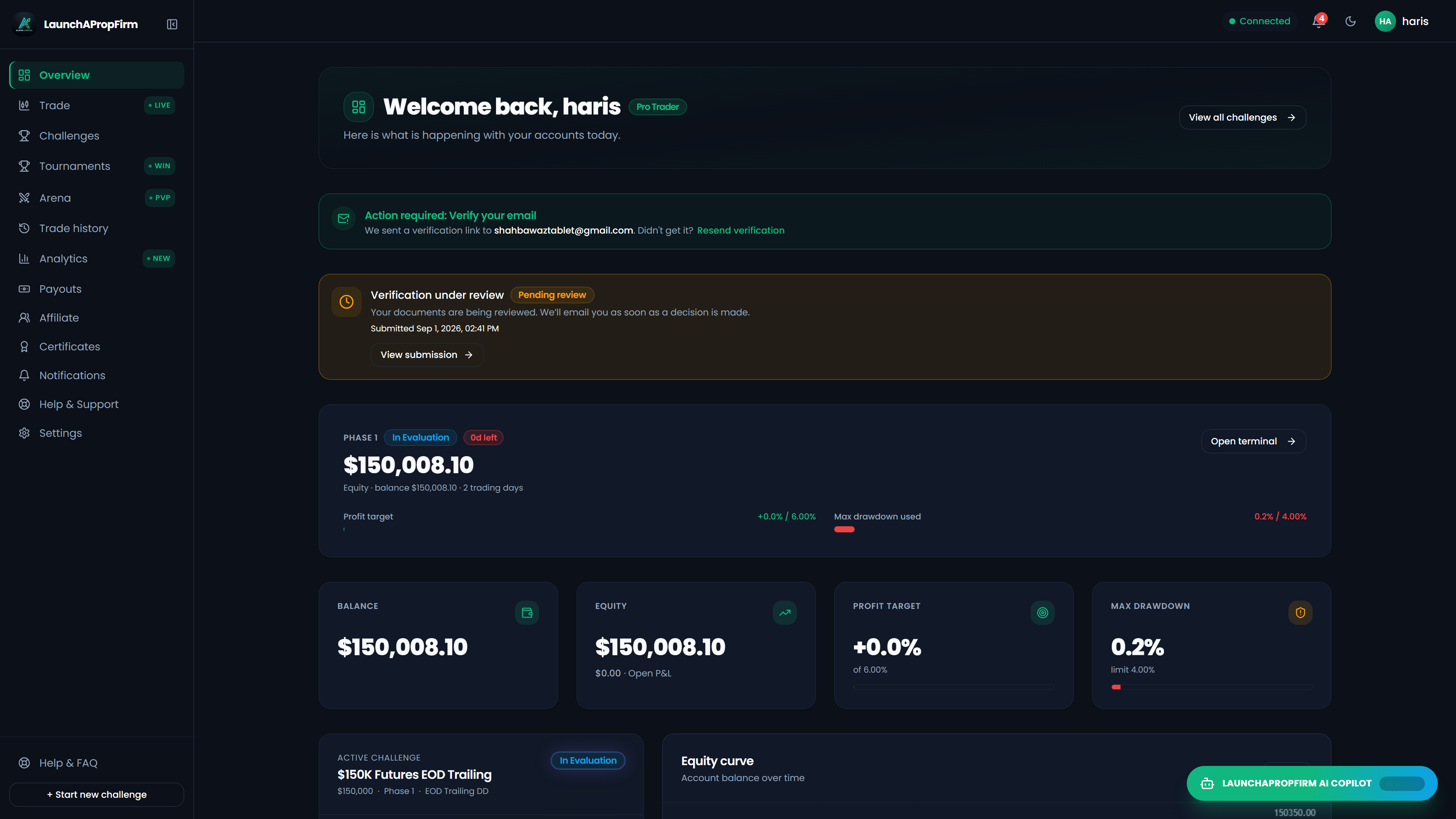
Real-time account metrics. Current equity, daily loss used, total drawdown used, and profit target remaining. These must update as close to live as your trading engine allows.
User profile console enabling 2FA security verification, password updates, and notification preference controls.
Phase progress indicator. A visual showing where the trader is in Phase 1 or Phase 2. A progress bar toward the profit target with a drawdown gauge alongside it communicates the most important information at a glance.
Trade history. A log of recent trades with entry time, exit time, instrument, size, and P&L. Traders review this when calculating whether they can afford to push harder or need to be more conservative.
Payout request. Funded traders need a clear way to request a withdrawal with their available profit shown, the minimum payout threshold, and estimated processing time. Friction here causes negative reviews.
Rules display. A persistent reminder of the challenge rules on the dashboard reduces support tickets. Traders forget their exact profit target and daily loss limit between logins.
What Makes a Dashboard Build Trader Loyalty
Speed matters more than aesthetics. A dashboard that loads in under one second feels professional. One that takes three seconds to load creates doubt, even if the numbers are correct.
Mobile responsiveness is expected. A growing share of traders check their accounts from a phone. If the mobile view is broken or cramped, traders complain in reviews.
Transparency builds trust. Show the exact calculation method for drawdown. If your daily drawdown resets at midnight UTC, say so on the dashboard. Ambiguity in drawdown calculations is the most common complaint in prop firm reviews.
How the LaunchPropFirm Dashboard Is Built
The LaunchPropFirm platform runs on TradingView as the charting and trading engine. The trader dashboard is a Next.js web interface that connects to the platform backend and displays live account data.
The dashboard includes real-time P&L, drawdown gauges, phase progress, trade history, payout request, and certificate generation. The design is mobile-responsive and loads fast because it is built on a static-first stack with server-side rendering.
You can customize the branding, colors, and logo as part of the white-label setup. For context on the full tech stack, see Prop Firm Technology Provider.
FAQ
What should a prop firm trader dashboard show?
At minimum: current P&L vs profit target, daily drawdown remaining, total drawdown remaining, days remaining in the phase, and a trade history log. These are the numbers traders check every session.
Should the dashboard update in real time?
Ideally yes, but 5-15 second refresh intervals are acceptable for most traders. True real-time requires WebSocket infrastructure that adds complexity. Most prop firms refresh account data on a 5-60 second polling cycle.
Can traders see their trading history on the dashboard?
Yes, and they should. A trade log with timestamps, instruments, sizes, and outcomes helps traders review their own performance. It also reduces support tickets from traders asking why their drawdown changed.
Does the dashboard need to work on mobile?
Yes. Based on user behavior data, 30-40% of dashboard checks happen on mobile. A non-responsive dashboard is a trust signal problem at minimum and a churn driver at scale.
What is the most common trader complaint about prop firm dashboards?
Slow loading and unclear drawdown calculations. Traders accept losing challenges but get frustrated when they cannot tell exactly how close they are to a breach. Clear, near-real-time drawdown data shown prominently eliminates the most common support request.
Evaluate Your Prop Firm Readiness Score (0-100)
Answer 5 quick operational questions about your acquisition channels, runway, and engine tech to get a personalized launch roadmap.

M.Haris
Founder & Platform ArchitectBuilding open prop trading software infrastructure for operators worldwide
I built LaunchPropFirm to give forex educators, trading communities, and fintech operators complete ownership of their platform with full source code and zero monthly SaaS rent. Every article on this blog is drawn from hands-on platform development, live MT5 risk bridge mechanics, and real operator economics.
All content, financial models, ROI estimates, and architecture guides on LaunchPropFirm are published strictly for educational and informational purposes. LaunchPropFirm provides institutional prop trading software and technology infrastructure; it does not operate as a broker, custodian, or registered investment advisor.
Evaluation challenges and funded trader accounts referenced in this guide operate in simulated demo trading environments using real-time market data feeds. Simulated trading results do not represent actual trading performance or financial advice.
Recommended Next Reads
Hand-picked operator guides to scale your prop trading platform.
How to Start a Forex Brokerage: Costs & Prop Alternative
Discover how to start a forex brokerage in 2026. Compare licensing costs, liquidity bridges, and why founders launch a self-hosted prop firm instead.
Prop Firm Capital: Reserve Buffers & Risk Architecture
Explore the financial reality of prop firm capital: synthetic exposure vs liquid reserves, challenge fee pool economics, and A-Book STP risk architecture.
Skip the monthly fees
Own your prop firm platform outright. One time purchase.
Full source code. Live in 7 days. No revenue share. No monthly SaaS bill. See the exact platform before paying anything.